

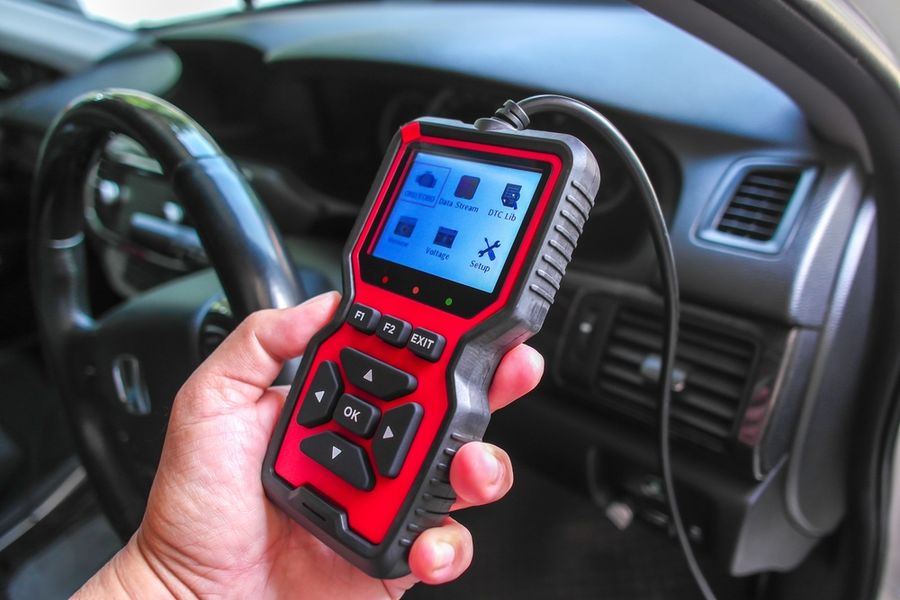
A check engine light rarely explains whether a vehicle needs immediate attention or a minor repair. An OBD2 scanner can provide helpful answers, but options vary widely in diagnostic depth, compatibility, and ease of use. Choosing the wrong tool may leave drivers with confusing codes, limited vehicle coverage, or features hidden behind ongoing subscriptions. Understanding what separates basic code readers from advanced scanners can make finding the right fit much easier.
What Separates a Useful Scanner From an Expensive Code Reader
The strongest home diagnostic tools balance three priorities: clear code explanations, useful live data, and an interface that ordinary drivers can understand. Advanced functions can help experienced DIY mechanics, but they matter less when basic tasks feel confusing. Compatibility also deserves close attention because manufacturer-specific systems and service functions can vary by vehicle.
The Top OBD2 Scanners at a Glance
|
Option |
Best For |
Typical Cost* |
|---|---|---|
|
Innova 5610 |
Advanced repairs |
|
|
BlueDriver Pro |
App-guided diagnosis |
|
|
Topdon TopScan |
Wireless advanced functions |
|
|
Launch CR529 |
Budget live data |
|
|
Ancel BD310 |
Handheld and app use |
*Prices can change by retailer, promotion, and included software.
The 5 Top OBD2 Scanners for Home Car Diagnostics
Every pick can read common diagnostic trouble codes and help drivers investigate a warning light. The ranking gives extra weight to ease of use, diagnostic depth, and long-term value rather than simply favoring the tool with the longest feature list.
1. Innova 5610: Best Overall
The Innova 5610 earns the top position because it combines an independent handheld screen with app connectivity and more advanced functions than a basic code reader. It can suit a driver who wants simple check engine light information today but may attempt more involved maintenance later.
The higher purchase price is the main drawback. Casual users who only expect to read an occasional engine code may pay for functions they rarely touch. However, independent testing has praised its balance of professional-style capabilities and a design that remains approachable for home users.
Pros:
- Handheld and Bluetooth operation
- Clear, full-color interface
- Supports deeper diagnostic work
Cons:
- Higher upfront cost
- More tool than beginners need
Best for: Choose the Innova 5610 when you regularly maintain vehicles at home and want room to take on more advanced diagnostic work.
2. BlueDriver Pro: Best for Guided Repair Information
BlueDriver Pro turns a smartphone or tablet into the scanner’s display. Its biggest advantage is not merely reading codes, but helping a user understand what they may mean. The app provides code descriptions, repair information, live data, and reports designed to make an unfamiliar warning less intimidating.
Because it relies on a phone, it may not appeal to drivers who prefer a self-contained tool. Pairing and app permissions can also add steps that a basic corded reader avoids. Car and Driver praised the app’s approachable layout, repair reports, live-data monitoring, and continuing updates, while noting that initial pairing can take longer than plug-and-play handheld units.
Pros:
- Helpful repair explanations
- Easy-to-read mobile interface
- No separate display to store
Cons:
- Requires a compatible phone
- Initial pairing may take time
Best for: BlueDriver is a strong choice when code explanations and repair guidance matter more than owning a traditional handheld scanner.
3. Topdon TopScan: Best for Advanced Wireless Features
Topdon TopScan offers considerably more than a bare-bones Bluetooth code reader. Depending on vehicle compatibility and software access, it may provide system scans, active testing, service functions, and other controls that appeal to experienced home mechanics.
The trade-off is complexity. A long feature menu does not guarantee that every function will work on every make, model, or year. Some advanced access may also depend on a subscription after an introductory period, so shoppers should compare long-term software costs rather than focusing only on the adapter’s price. Current independent testing identifies TopScan as a capable mobile option that goes beyond standard fault-code and emissions-readiness checks.
Pros:
- Broad wireless diagnostic tools
- Compact and easy to store
- Useful active-test potential
Cons:
- Compatibility varies by vehicle
- Some features may require payment
Best for: Pick TopScan when you understand basic diagnostics and want to investigate vehicle systems beyond generic engine codes.
4. Launch CR529: Best Budget Handheld Scanner
The Launch CR529 is a practical middle ground between an ultra-cheap code reader and a high-end diagnostic tablet. It has its own screen, reads and clears common engine codes, displays live data, and can help check emissions-system readiness without requiring a phone.
Its limitations become clearer once a repair involves manufacturer-specific systems or advanced bidirectional controls. It is designed primarily for common OBD2 tasks, not deep diagnosis across every electronic module.
Pros:
- No phone or app needed
- Live data at low cost
- Simple emissions-readiness checks
Cons:
- Limited manufacturer-specific coverage
- No wireless phone connection
Best for: The CR529 makes sense for drivers who want an affordable glove-box tool for engine codes, live readings, and emissions preparation.
5. Ancel BD310: Best for Flexible Handheld and App Use
The Ancel BD310 can function as a compact corded scanner or connect to a smartphone for a larger, more visual interface. That flexibility is useful when a quick code check calls for the built-in screen, but live data would be easier to follow through an app.
Its small display and limited physical controls may feel cramped during longer diagnostic sessions. It also lacks the broader system access found in more advanced tools. Independent testing has highlighted its dual-purpose design, portability, emissions-readiness testing, and ability to show operating data such as engine speed and coolant temperature.
Pros:
- Works with or without phone
- Compact glove-box design
- Useful live engine data
Cons:
- Small built-in display
- Limited advanced system functions
Best for: Choose the BD310 when you want the reliability of a corded reader plus the option to view information on a phone.
The Clear Standout for Serious Home Maintenance
The Innova 5610 is the strongest overall choice because it can serve both newer DIYers and drivers who expect their skills to grow. Its dedicated controls make quick checks convenient, while its broader diagnostic reach provides more value during complicated repairs.
BlueDriver Pro is the better purchase when ease of interpretation matters most. Its guided app experience can be more helpful than extra service functions for someone who mainly wants to understand a warning light before visiting a repair shop.
How to Match a Scanner to the Repairs You Actually Perform
Start with the systems you need to access. A low-cost reader may be enough when the goal is checking a generic engine code, viewing emissions readiness, or confirming that a repair cleared a warning. Drivers working on brakes, airbags, batteries, transmissions, or electronic components should look for confirmed coverage of those systems on their exact vehicle.
Next, decide whether a phone-based or self-contained design feels more convenient. Bluetooth adapters can provide larger graphs, searchable explanations, and easier software updates. Corded scanners start quickly, do not depend on a separate device, and can stay permanently stored with the vehicle.
Finally, look beyond the initial purchase price. Some scanners include ongoing updates, while others charge for advanced functions, specific manufacturers, or continued software access. A lower-priced adapter can become more expensive over several years if its most useful tools require a recurring plan.
Compatibility should be checked before ordering, especially when the scanner is being purchased for one particular car. A product may support generic OBD2 engine codes across a broad range of vehicles but offer deeper module access only on selected makes and model years.
Frequently Asked Questions
Q: What can an OBD2 scanner tell you about a car?
An entry-level scanner can usually retrieve diagnostic trouble codes associated with a check engine light, clear eligible codes, and check emissions readiness. More capable tools may display live sensor data or communicate with additional systems, but access depends on both the scanner and the vehicle.
Q: Will an OBD2 scanner work with every vehicle?
Standard OBD2 coverage generally applies to gasoline-powered passenger vehicles sold in the United States beginning with the 1996 model year. However, manufacturer-specific codes, diesel compatibility, electric vehicles, service resets, and non-engine modules require closer compatibility checks.
Q: Can a scanner tell you exactly which part to replace?
A diagnostic code identifies a detected condition or affected system, not always a failed part. For example, a code involving an oxygen sensor may be caused by the sensor, damaged wiring, an exhaust leak, or another engine problem. The code should guide further testing rather than serve as an automatic parts order.
Making the Right Scanner Choice for Your Garage
An OBD2 scanner can be a valuable tool for understanding what a vehicle needs, but the right choice depends on how much information a driver wants and how often the device will be used. A simple code reader may be enough for occasional checks, while more advanced tools can provide deeper insights for regular maintenance and repairs.
The most useful scanner is the one that matches the vehicle, repair goals, and comfort level with diagnostics. Checking compatibility, software costs, and available features before buying can help prevent frustration and ensure the tool provides helpful information when a warning light appears.
We created this article in conjunction with AI technology, then made sure it was fact-checked and edited by a TopicTangent editor.