

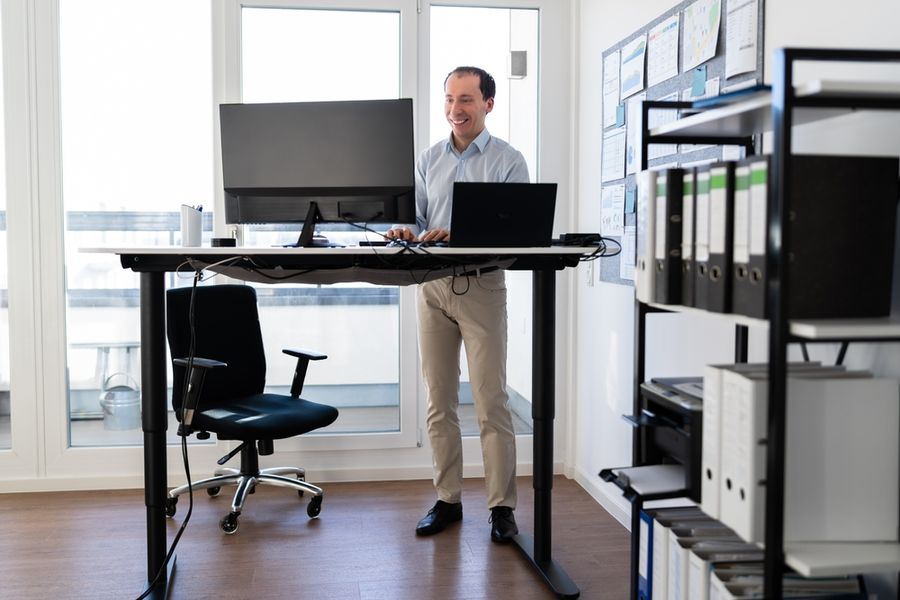
A standing desk sounds like a simple fix for a workday spent sitting, but the decision is not that simple. Some models cost less than a chair, others cost more than a laptop, and the health claims can make standing seem more powerful than it is. Can the right desk help you change positions, move more often, and work comfortably? By evaluating movement, ergonomics, work style, and cost, you can find a standing desk that works for you.
The 4 Criteria That Actually Matter
Most comparison pages list motor speed, desktop shape, lift capacity, presets, frame color, cable trays, and warranty terms. Those details matter, but only after four bigger questions are answered.
Criterion 1: Movement Habits
Movement habits matter most because a standing desk is not a health upgrade by itself. The real value is that it can reduce long sitting blocks and make posture changes easier. Standing still for hours can also feel stiff, so the goal is rotation, not endurance.
A practical benchmark is to change position every 30 to 60 minutes. That might mean sitting for focused writing, standing for a call, then walking for two minutes before the next task. A desk that moves smoothly makes that pattern easier to repeat.
If you already ignore reminders to get up, a standing desk may not fix the problem alone. Pair it with a timer, a meeting habit, or a rule such as standing only for calls and short email blocks.
Quick test: Set a timer every 45 minutes for one workday and see whether you naturally stand, stretch, or walk before buying anything.
Criterion 2: Ergonomic Fit
Ergonomic fit decides whether the desk helps your body or creates a new problem. Your elbows should sit close to a right angle when typing, your wrists should stay neutral, and your monitor should sit high enough that you are not looking down all day.
The height range matters more than the desktop finish. A desk should go low enough for seated typing and high enough for standing without raised shoulders. If you are shorter or taller than average, measure first because some desks have limited adjustment.
Accessories may matter as much as the desk. A monitor arm, external keyboard, footrest, anti-fatigue mat, or supportive shoes can make the difference between a useful setup and one that feels awkward after 20 minutes.
Quick test: Measure your elbow height while seated and standing, then compare both numbers with the desk’s listed height range.
Criterion 3: Work Style
A standing desk works best when parts of your day match standing work. Video calls, phone calls, reading, light admin tasks, and inbox cleanup often work well while standing. Deep writing, detailed design work, and complex spreadsheet tasks may still feel better while seated.
This is where real work habits matter. If you spend most of the day in short meetings, a sit-stand setup may help you move often without breaking focus. If your work requires long blocks of quiet concentration, you may use the standing position less often than expected.
In our review, the best match was not the person who wanted to stand the most. It was the person who could name specific tasks that felt better upright.
Quick test: Look at tomorrow’s calendar and mark three tasks you could comfortably do while standing.
Criterion 4: Space and Total Cost
Space and cost belong together because a standing desk can change the whole workstation. A desktop converter may cost less and keep your current desk, but it can feel cramped. A full electric desk gives more room and smoother adjustment, but it usually costs more and takes more setup.
Expect basic standing desk converters and simple risers to start affordably, while full electric standing desks often cost hundreds (or even thousands) of dollars. Premium setups can cost much more once you add a larger desktop, cable management, monitor arms, delivery, or assembly.
The best value is not always the cheapest option. It is the lowest-cost setup that lets you sit, stand, type, view your screen, and move without friction.
Quick test: Price the desk, mat, monitor arm, keyboard setup, and delivery together before judging whether it fits your budget.
What Most People Get Wrong
The biggest mistake is treating standing as the whole solution. Standing can reduce sitting time, but it does not replace walking, stretching, exercise, or a well-set-up workstation. A better goal is fewer long, frozen work blocks.
The second mistake is buying a desk before testing the habit. Some people love standing for calls but dislike typing while standing. Others find that a small converter works fine, while a full desk would be overkill.
A fixed-height standing desk is one popular choice that often fails the framework. It may look simple, but it removes the main benefit: switching between sitting and standing. For most desk workers, adjustable sit-stand equipment is the safer choice.
Three Situations, Three Different Right Answers
If you're a remote worker with long video meetings: Prioritize movement habits because your biggest win is changing position without leaving the meeting. A full electric desk with memory presets may be worth it if you will raise and lower it several times a day.
If you're in a small apartment or shared room: Prioritize space and total cost. A compact converter may be the better first move because it adds standing without replacing your furniture or taking over the room.
If you're dealing with neck, wrist, or back discomfort: Prioritize ergonomic fit before price or style. A standing desk may help you vary posture, but you may need a monitor arm, an external keyboard, or a workstation check before the desk itself makes a difference.
What You'll Actually Pay
For a basic standing desk converter or simple riser, expect to pay about $40 to $150. This range can work if you already like your current desk and only need to raise a laptop or monitor for short standing blocks.
For most full electric standing desks, expect a practical range of about $180 to $500. Lower-cost models may have smaller tops, simpler controls, or less polished frames, while higher-priced versions may offer better stability, stronger motors, larger surfaces, and longer warranties.
Premium standing desk setups can cost $600 to $1,000 or more after accessories. Monitor arms, cable trays, anti-fatigue mats, delivery, and assembly can raise the real price, so compare the full workstation cost, not just the desk frame.
Frequently Asked Questions
Does a standing desk offer real health benefits? It can help if it reduces long sitting blocks and makes movement easier during the workday. It is less useful if you stand still for hours and never add short walks or posture changes.
Is standing all day better than sitting all day? No. Standing all day can strain your feet, legs, and lower back. A better routine is to sit, stand, and move in short cycles.
Do I need a full electric standing desk? Not always. If you have limited space or a smaller budget, a converter can be a reasonable first step. If you use two monitors, need more workspace, or plan to switch positions often, a full electric desk may be easier to live with.
Which Standing Desk Is Right For You?
Before buying, create a one-day standing test with what you already own: raise your laptop or monitor safely for one short call or email block, then sit again. If you repeat that switch naturally two or three times in the day, use those moments to decide whether a converter or full electric desk fits your workday.
We created this article in conjunction with AI technology, then made sure it was fact-checked and edited by a TopicTangent editor.