

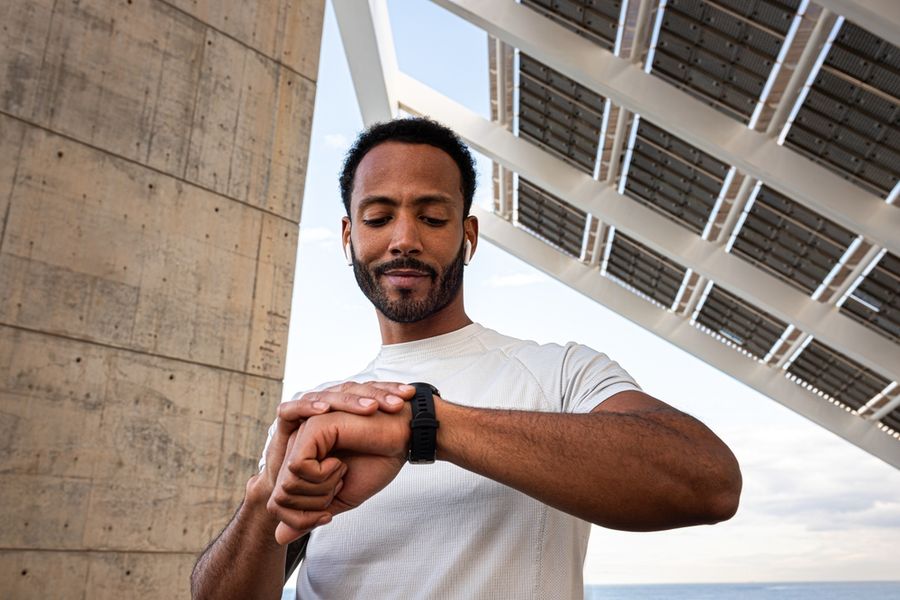
Smartwatches have multiplied fast, and the options now range from basic fitness trackers to wrist computers with cellular plans, blood oxygen sensors, and built-in GPS. The spec sheets look impressive across the board, which makes it genuinely difficult to understand what you're paying extra for and whether you need it. The fear of buying an expensive watch and finding out six months later that it doesn't do what you actually wanted is a reasonable concern.
Before You Buy
The single most important factor most buyers don't consider until it's too late is phone ecosystem compatibility. A smartwatch bought for the wrong phone platform delivers a fraction of its advertised features and creates daily friction that no amount of good hardware can fix. Start there, then build toward features. That sequence prevents the most expensive and least fixable mistakes in this category.
The 4 Criteria That Actually Matter
Most smartwatch comparison guides evaluate a dozen features simultaneously. Four of them determine whether a watch actually works for your life. The rest are refinements on top of that foundation.
Criterion 1: Phone Ecosystem Compatibility
Smartwatches are designed to extend a phone, not replace it. That means the operating system on your phone determines which watches will work fully, which will work partially, and which won't pair meaningfully at all. Apple Watch runs exclusively on iPhones. Most Android-optimized watches (running Wear OS or Samsung's platform) pair with Android phones, and while some will connect to an iPhone, they lose significant functionality in the process.
This is the criterion that creates the most buyer regret. In our experience covering consumer tech, the complaints that surface most consistently are from buyers who discovered post-purchase that a key feature, whether that's replying to messages from the wrist, syncing health data with their phone's native apps, or using contactless payments, required a phone platform they didn't have. The watch didn't fail; it was simply bought for the wrong ecosystem.
Before looking at any specific model, confirm which phone you're using and search whether the watches you're considering are fully compatible with it, not just technically connectable. "Works with iPhone" and "designed for iPhone" are different claims.
Quick test: Look up the watch you're considering alongside your specific phone brand and operating system version, and check whether core features like message replies, app notifications, and health data sync are fully supported or limited.
Criterion 2: Primary Use Case
Smartwatches are marketed as all-purpose devices, but they're engineered around trade-offs that favor certain use cases over others. A watch built for serious fitness and outdoor activity (longer battery life, rugged build, detailed GPS tracking, multi-sport modes) will typically have a simpler interface and fewer smart notification features. A watch built around daily convenience and smartphone integration will offer richer app support and a more refined notification experience but may need charging every day or two.
Defining your primary use before shopping is the most reliable way to avoid buying features you won't use at the expense of features you will. A runner logging 30 miles a week needs accurate GPS, heart rate tracking across workouts, and enough battery to get through a long trail run without dying. That profile calls for a different product than someone who wants to see texts and control Spotify without pulling out their phone during meetings.
Health sensors are a real differentiator in this category. ECG capability, blood oxygen monitoring, and advanced sleep tracking are available on a growing number of models but add meaningful cost and are only useful if you'll actually look at the data. If you want a watch for notifications and step counting, you're paying for sensors you won't use by buying a medically focused model.
Quick test: Write down the three things you'd use a smartwatch for most days. If fitness tracking ranks first, look for long battery life and GPS accuracy. If phone extension ranks first, look for notification depth and platform integration.
Criterion 3: Battery Life Against Your Charging Habits
Battery life in smartwatches typically ranges from roughly 18 hours to more than two weeks, depending on the model, feature set, and usage patterns. That gap is enormous and directly affects how much friction the watch adds to your daily routine. A watch that needs nightly charging like a phone becomes one more device in your charging rotation. A watch that lasts four to seven days changes the habit entirely.
The trade-off is features for longevity. Always-on displays, LTE connectivity, continuous heart rate monitoring, and frequent GPS use all drain the battery faster. Watches with longer battery life typically achieve it by using lower-resolution displays, limiting background sensors, or running simpler software. Neither end of the spectrum is wrong; the question is which trade-off you can live with.
Consider your existing charging habits honestly. If you charge your phone every night and keep a charger on your nightstand anyway, a daily-charge watch adds minimal friction. If you travel frequently, forget chargers, or want to wear the watch while sleeping for sleep tracking, battery life becomes a primary criterion rather than a secondary one.
Quick test: Think about how often you currently forget to charge devices and whether adding a daily charging requirement would realistically cause you to stop wearing the watch within a few months.
Criterion 4: Build and Durability for How You'll Actually Wear It
A smartwatch that lives on your wrist daily takes physical punishment that a phone in a pocket does not. Water resistance ratings, display durability, and case material matter more for a watch than for most other tech purchases because the contact is constant and the environment is unpredictable.
Water resistance ratings are expressed in ATM (atmospheres) or meters of depth. A watch rated 5 ATM can handle rain and handwashing comfortably. A watch rated 10 ATM is swim-safe. Ratings labeled "splash resistant" or under 3 ATM are not reliable for anything more than incidental moisture. If you swim, shower with the watch on, or work in wet environments, confirm the water resistance rating is sufficient before buying.
Display glass matters for scratch resistance. Sapphire crystal is the most scratch-resistant option and appears on higher-end models; tempered glass is standard on mid-range options and adequate for most users. Case material (aluminum vs. stainless steel vs. titanium) affects weight, durability, and price. For daily wear without specific activity demands, aluminum is practical and light. For buyers who want a watch that looks appropriate in professional settings and holds up to active use, stainless steel or titanium is worth the premium.
Quick test: Honestly describe the conditions your watch will face most: swimming, gym workouts, outdoor work, professional settings, or mostly desk and commute. Match the water resistance rating and case material to that answer.
What Most People Get Wrong
The most common mistake is buying based on brand name rather than ecosystem fit. Apple Watch is a genuinely excellent product, but its excellence is almost entirely conditional on being paired with an iPhone. Android users who buy one because it's well-reviewed will find most of its features locked or limited. The same dynamic applies in reverse for iPhone users who buy a Wear OS device expecting full integration. Brand reputation and product quality are real, but they don't override platform compatibility.
The second mistake is overbuying health sensors. Watches with ECG, blood oxygen, and continuous health monitoring cost significantly more and are excellent tools for people who actively use that data or have health conditions that benefit from monitoring. For the majority of buyers who want step counts, sleep data, and workout summaries, those advanced sensors add cost without adding meaningful value to their daily experience. Be honest about whether you'll check an ECG reading weekly or whether it will be a feature you use twice before forgetting about it.
Three Situations, Three Different Right Answers
If you're an iPhone user who wants a watch primarily for fitness tracking, notifications, and daily health data: The Apple Watch SE or the base Apple Watch series is the right range to evaluate. Full iOS integration, accurate health tracking, and competitive pricing compared to the premium tiers make this the practical call. You don't need the highest-end model unless ECG or advanced crash detection features are specifically important to you.
If you're an Android user who runs three to five days a week and wants GPS accuracy and multi-day battery life over smart features: Look at fitness-first platforms rather than general Wear OS devices. Several brands build watches specifically for endurance athletes that offer accurate GPS tracking, detailed training metrics, and battery life measured in days rather than hours. These watches do less with smartphone notifications but do more with workout data, which matches the use case.
If you're buying your first smartwatch primarily to reduce how often you pull out your phone during the workday: Ecosystem compatibility and notification depth are the only criteria that really matter here. Pick the watch that pairs fully with your phone platform, confirm it handles message previews and quick replies from your most-used apps, and don't pay extra for health sensors you won't use.
Frequently Asked Questions
Do smartwatches work without a phone nearby?
Basic functions like displaying time, tracking steps, and playing locally stored music work without a phone present on most models. Features that depend on a data connection, like weather, maps, streaming audio, and message replies, require either a nearby phone or a cellular-enabled watch with an active plan. Check which features require phone proximity for the specific model you're considering.
How long do smartwatches last before they feel outdated?
Most buyers get two to five years of practical use from a mid-range smartwatch before software updates slow or hardware feels meaningfully behind. Premium models with better build quality tend to hold up longer physically, though software support timelines vary by brand. This is worth factoring into a cost-per-year calculation when comparing price tiers.
Is it worth buying a refurbished or previous-generation smartwatch?
Previous-generation models from reputable brands are often strong value options, particularly if the current model's new features (a brighter display, a slightly faster chip) aren't relevant to your use case. Refurbished units from manufacturer-certified programs carry return policies and are generally reliable. Third-party refurbished watches without certification are higher risk and harder to evaluate for battery health, which degrades with charge cycles.
Apply the Framework, Then Decide
When you're ready to compare specific models, run each one through these four criteria in order: does it fully support your phone platform, does it match your primary use case, does the battery life fit your charging habits, and does the build quality hold up to how you'll actually wear it? Any watch that clears all four is worth serious consideration at its price point.
We created this article in conjunction with AI technology, then made sure it was fact-checked and edited by a TopicTangent editor.