

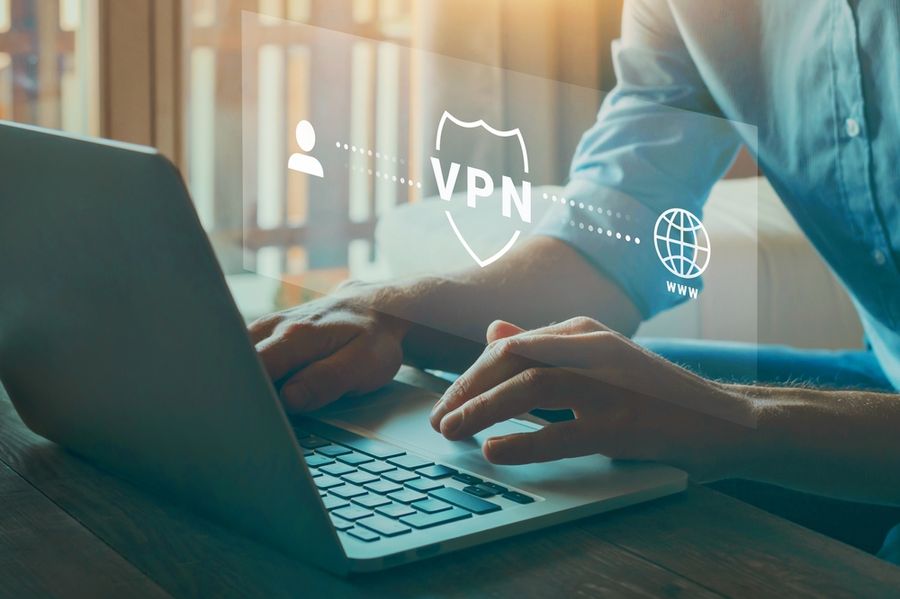
You're sitting in an airport lounge, connected to free Wi-Fi, and need to check your bank account or log into a work system. Someone has probably suggested using a VPN, promising better privacy and protection on public networks. The challenge is figuring out whether that protection is genuinely useful or simply another subscription being added to the monthly budget. For occasional travelers and everyday internet users alike, the value of a VPN depends on how, where, and why it will actually be used.
What a VPN Actually Is (and Isn't)
A VPN, or virtual private network, creates an encrypted tunnel between your device and a server operated by the provider. Your traffic routes through that server, which hides your activity from the network you're connected to and masks your real IP address from the websites you visit. That's the core function: encryption on untrusted networks and IP masking everywhere else.
The misconception worth clearing up: a VPN does not make you anonymous online. It prevents the hotel network from seeing what you're doing and replaces your visible IP address with the provider's server address. It doesn't stop websites from tracking you with cookies, doesn't protect against phishing, and doesn't secure accounts with weak or reused passwords. It's one layer of protection, not a complete privacy solution.
How To Evaluate Whether a Paid VPN Is Worth It:
We use three criteria in this order because they filter out the situations where a VPN adds less value than it costs before you spend anything.
1. Connection Exposure Frequency
How often do you connect to networks you don't control? Hotel Wi-Fi, airport lounges, coffee shops, conference centers, and co-working spaces are all untrusted environments where traffic can potentially be observed. A consultant traveling three to four days a week has a meaningfully different risk profile than someone who works from home and occasionally uses a café connection to browse the news. The higher your weekly exposure, the stronger the case for paying.
2. Data Sensitivity on Those Connections
What are you actually doing on untrusted networks? Checking a weather forecast is low stakes. Logging into work systems, accessing client files, banking, or handling financial transactions is a different situation entirely. If your work involves sensitive data and you handle it regularly on the road, a paid VPN is a professional-grade tool you're probably already underusing.
3. Provider Log Policy, Independently Verified
This is the criterion most buyers skip, and it's the most consequential. A VPN is only as trustworthy as the company operating it. Free VPNs and many cheaper paid options generate revenue by logging and selling user traffic data, which defeats the purpose entirely. Look for providers with a no-log policy that has been independently audited by a credible third-party firm. That verification exists for a handful of well-regarded providers. If you can't confirm an audit has been conducted and published, the provider's privacy claims are unverifiable marketing.
How It Works in Practice
Using a VPN while traveling is simpler than most people expect. You open the app before connecting to any network you don't own, select a server (your home country is usually sufficient for most purposes), and connect before doing anything else. The added latency is typically 10 to 30 milliseconds on a reputable provider, imperceptible for most browsing and email, and occasionally noticeable during large file transfers.
In testing VPNs across hotel and airport networks in multiple countries, the operational friction is lower than the setup suggests. The biggest failure point isn't speed or interface: it's habit. Travelers who connect to the VPN the moment their laptop opens on any public network get the full benefit. Those who remember halfway through a session have already exposed their earlier traffic.
Streaming is a separate use case that comes up often in this conversation. Some travelers use VPNs to access home-country content libraries while abroad. This works with some providers and some platforms, but streaming services actively block known VPN server addresses. It's an inconsistent feature, not a reliable one, and shouldn't be the primary reason you pay for a service.
Who Benefits Most
The travelers who recover clear, consistent value from a paid subscription are those who regularly combine high network exposure with activity that warrants protection.
- A consultant or sales professional who spends three to five days a week in hotels and co-working spaces, accessing client systems and confidential documents on networks they don't control
- A freelancer who handles financial accounts, contracts, or client data from airport lounges, coffee shops, and shared spaces regularly
- A business traveler who visits countries with restrictive internet policies and needs reliable, unblocked access to work communications platforms that may be filtered locally
- Someone who travels several times a year internationally and wants a single security tool that handles network exposure and IP masking without managing multiple separate applications
The Real Downsides
A VPN doesn't protect you from your own decisions. If you click a phishing link, reuse a compromised password, or approve a fraudulent login prompt, the VPN does nothing. The majority of real-world account takeovers don't come from traffic interception on shared networks: they come from credential theft, phishing, and data breaches at companies that stored your information. A VPN addresses one specific attack vector, not the most statistically common ones.
Provider trust is a genuine concern, not a footnote. You're routing all of your internet traffic through the VPN company's infrastructure. That requires trusting them not to log or expose your data. The problem with unverified providers is that their privacy claims are self-reported. Paying for a service with an audited, published no-log policy doesn't eliminate trust as a factor, but it provides third-party evidence rather than marketing copy.
Connection reliability varies by destination. In countries with heavy internet filtering, some VPN connection protocols get actively blocked. Providers with obfuscation features, which disguise VPN traffic to look like standard HTTPS traffic, handle this better than those without. No provider guarantees consistent access in every country on every trip. If reliable connectivity in a high-restriction region is critical for your work, test the service before you depend on it.
What You'll Actually Pay
Paid VPN subscriptions typically run $2 to $4 per month on a two-year commitment, or $8 to $12 per month on a monthly plan. The gap between those tiers is significant, often 50 to 70 percent. If you've tested a provider and trust it, the long-term plan is substantially cheaper. Expect to pay toward the lower end of that range for well-established providers offering multi-year plans.
Most subscriptions cover five to eight simultaneous devices, enough for a laptop, phone, and tablet on one account. Some providers offer unlimited device connections, which is worth considering for households where multiple people travel on the same subscription.
Free tiers exist and are worth understanding for what they are: capped trials designed to convert you. A free tier limited to 500MB or 1GB per month won't sustain any real travel use. A free tier with no data cap from a provider without a verified privacy policy should raise immediate questions about the business model, because infrastructure has costs, and free users are paying with something.
How to Decide If This Is Right for You
If you connect to public networks multiple times per week and perform sensitive tasks on those connections (work systems, banking, client data), work down to criterion three: whether you can verify the provider's log policy through an independent audit. If all three align, the cost of an annual plan is straightforward to justify.
If your travel is occasional (a few trips a year) and your on-the-go activity is personal browsing with no work or financial accounts involved, the protection added may not warrant a subscription. In that case, using your phone's personal hotspot instead of hotel or airport Wi-Fi eliminates the public network exposure risk at no additional cost and without routing your traffic through a third party at all.
If split tunneling is available on the provider you're evaluating, it's worth enabling on a travel device. This feature routes only specific apps (your banking app, your work email) through the VPN while letting everything else connect directly, which improves speed while maintaining protection where it actually matters.
Frequently Asked Questions
Is a free VPN good enough for occasional travel?
For low-stakes personal browsing on public networks, a capped free tier from a reputable provider may be adequate. For anyone accessing work systems, financial accounts, or client data while traveling, free options are a poor substitute for a paid provider with independently verified privacy practices. The business model of truly free VPNs almost always involves monetizing user data in some form.
Does a VPN slow down my connection noticeably?
A minor speed reduction is normal, typically 10 to 30 percent depending on server distance and network conditions. On a standard hotel or airport connection, this is usually unnoticeable for browsing, email, and video calls. The further your traffic has to route through the provider's server, the more latency accumulates. Selecting a server geographically close to your actual location reduces the impact.
Will a VPN protect me specifically on hotel Wi-Fi?
Yes, against the specific threat of traffic observation on that shared network. Hotel networks are accessible to all guests, and unencrypted activity on them can be observed by others on the same connection. A VPN encrypts your data before it leaves your device, so what the hotel's network sees is encrypted traffic headed to a VPN server, not your actual browsing or login activity. It doesn't protect against threats that originate elsewhere, such as phishing or breached account credentials.
The Bottom Line
Before subscribing to anything, write down how many times in a typical month you connect to a network you don't own, and what you do on those connections. If work systems or financial accounts appear on that list more than a few times, you have your answer, and a two-year plan from a provider with a published, audited privacy policy costs roughly the same as a single airport lunch.
We created this article in conjunction with AI technology, then made sure it was fact-checked and edited by a TopicTangent editor.