

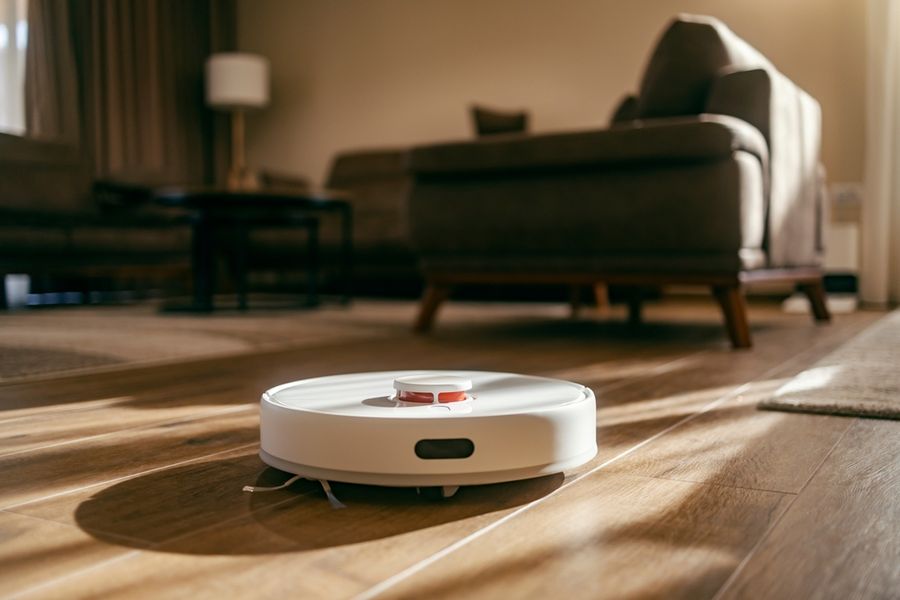
Keeping floors clean can feel like a never-ending task when work, family, pets, and daily routines leave little time for extra chores. Modern robot vacuums help reduce the effort by handling dust, crumbs, pet hair, and everyday debris with minimal attention. From budget-friendly options to advanced models with self-emptying docks and smart navigation, a growing range of choices makes it easier than ever to maintain cleaner floors. Strong performance, reliability, and convenience are often what matter most for busy households.
At a Glance: Robot Vacuums Compared
|
Rank |
Option |
Best For |
Starting At |
Standout Feature |
|---|---|---|---|---|
|
1 |
iRobot Roomba j7+ |
Cluttered, mixed-floor homes |
Camera-based obstacle avoidance |
|
|
2 |
Roborock S8+ |
Pet hair on carpet |
Dual rubber rollers, auto-empty |
|
|
3 |
Shark IQ Robot XL |
Large or multi-room homes |
Row-by-row navigation, self-empty |
|
|
4 |
Eufy RoboVac 11S |
Small apartments, tight budgets |
Ultra-slim 2.85-inch profile |
|
|
5 |
Dreame Bot L10 Ultra |
Vacuuming and wet mopping together |
Self-cleaning, self-drying mop dock |
The 5 Best Robot Vacuums Right Now
These models were chosen because each one solves a specific, real problem rather than competing on the same set of specs. What ties them together is consistent performance over time, not just strong first impressions. Mapping accuracy and self-maintenance are what separate machines that stay useful from ones that end up in a closet.
1. iRobot Roomba j7+: Best Overall
The j7+ earns the top spot because its PrecisionVision camera identifies and avoids obstacles in real time: charging cables, socks, pet waste, shoes left in the hall. Most robot vacuums react to obstacles by bumping into them; the j7+ routes around them before contact. The auto-empty base holds roughly 60 days of debris, which means most households interact with the machine once every two months. The honest limitation: iRobot's replacement filters, bags, and brushes cost more than most competitors, and the app has more settings than most users will ever need.
Pros:
- Avoids real obstacles before contact, not after
- Auto-empty base handles ~60 days of debris
- Cleans carpet and hardwood in the same run without adjustment
Cons:
- Replacement consumables are pricier than rivals
- App interface has a steep learning curve
Best for: A household with kids, pets, or an open floor plan where the floor regularly has objects a cheaper machine would run over, tangle on, or push into a corner.
2. Roborock S8+: Best for Pet Owners
The S8+ uses dual rubber extraction rollers instead of bristle brushes, which means pet hair wraps far less between cleanings. Suction is strong enough for medium-pile carpet, and the auto-empty dock pulls debris out after every run without requiring a separate purchase. In our review, it handled a home with two shedding dogs across mixed hardwood and area rugs over a two-week period without clogging. The one real drawback: its taller body means it cannot get under low-profile furniture that slimmer units clear.
Pros:
- Rubber rollers reduce pet hair tangles significantly
- LiDAR mapping navigates precisely and reliably
- Auto-empty base included at this price point
Cons:
- Taller body clears less low-profile furniture
- Mop attachment is a damp pad, not a true wet mop
Best for: A pet owner with medium-pile rugs and regular shedding who needs a machine that handles hair without manual brush cleaning every few days.
3. Shark IQ Robot XL RV1001AE: Best for Large Homes
The Shark IQ Robot XL maps rooms and cleans in methodical rows rather than random bounce patterns, which matters in homes over 2,000 square feet where coverage gaps become obvious. Its self-empty base holds about 45 days of debris, and the XL-sized bin can finish most full-home runs without stopping mid-session. It costs meaningfully less than the j7+ while delivering comparable cleaning results on hard floors. The tradeoff: obstacle avoidance is bump-based, not camera-based, so it relies on physical contact rather than anticipation.
Pros:
- Row-by-row navigation covers large areas efficiently
- Self-empty base included at a budget-friendly price
- Strong suction on hard floors and low-pile carpet
Cons:
- Obstacle avoidance is physical bumpers, not camera detection
- Struggles on high-pile or thick carpet
Best for: Someone with a large home, mostly hardwood or tile, who wants methodical room-by-room coverage without paying for obstacle detection they don't need.
4. Eufy RoboVac 11S: Best Budget Pick
At around $250, the 11S is the only genuinely capable robot vacuum at its price point. Its 2.85-inch profile clears sofas and bed frames that taller units miss entirely, and it runs quietly enough to use during calls or while kids are sleeping. There is no app, no mapping, and no auto-empty base, which are real limitations. The dustbin fills after one or two runs in an active household and requires manual emptying. But for a single-story home with mostly hard floors and light foot traffic, it outperforms its price class by a meaningful margin.
Pros:
- Ultra-slim profile clears low-clearance furniture
- Quiet operation at roughly 55 dB
Cons:
- No app control, scheduling, or room mapping
- Dustbin needs emptying manually after every one to two runs
Best for: A renter with a small apartment, mostly hardwood floors, and a tight budget who wants daily maintenance cleaning without committing to a $400-plus machine.
5. Dreame Bot L10 Ultra: Best for Vacuuming and Mopping Together
The L10 Ultra is the only model here that handles wet mopping at a meaningful level, not the damp-pad afterthought most combo units ship with. The dock automatically refills the water tank, washes the mop pads after each run, and dries them to prevent mildew odor, a problem that plagues cheaper combo machines. Suction performance on carpet is solid, though not class-leading. The price runs around $519 depending on the sale cycle, and the dock unit is large enough that it needs dedicated wall space.
Pros:
- Self-cleaning, self-drying mop dock eliminates manual pad maintenance
- Handles vacuuming and wet mopping in one automated pass
- LiDAR navigation supports room-specific cleaning modes
Cons:
- The dock footprint is large and requires permanent placement
- High upfront cost compared to vacuum-only alternatives
Best for: A homeowner with open-plan tile or hardwood who currently runs a vacuum and a mop separately and wants to consolidate both into one automated routine.
What Didn't Make the Cut
The iRobot Roomba i4+ appears on many "best of" lists, but we left it off. While it does have room mapping and directed room cleaning, its map system has meaningful gaps compared to what you'd expect at its price: it supports only a single-floor map, has no Keep Out Zones or Clean Zones, and its map breaks if you move the dock or rearrange furniture significantly, requiring a full remap. The Shark IQ Robot XL costs less while offering comparable cleaning. Overall, the i4+ sits in an awkward middle ground where it costs too much to compete on price and lacks too much to compete on features.
Editor's Pick
The Roomba j7+ is the top pick because its obstacle avoidance is a genuine category difference, not a marginal one. That said, if pet hair on carpet is your primary concern and your floors are not cluttered with daily objects, the Roborock S8+ delivers nearly the same cleaning performance at the same price with better mechanics for shedding animals.
If Your Situation Sounds Like This, Here Is What to Buy
If you have a dog or cat that sheds heavily, wall-to-wall carpet in at least one room, and you have tried robot vacuums before only to spend 10 minutes a week picking hair out of the brushes: buy the Roborock S8+. The dual rubber rollers solve the exact problem that turned you off robot vacuums the first time. The bristle-brush design on most competing models at this price is why you kept pulling clogs out. The S8+ removes that variable entirely.
What You'll Actually Pay
Budget-tier robot vacuums (under $200) top out at around 1,500 Pa of suction, no mapping, and manual dustbins. They work for light maintenance on hard floors but underperform on carpet or in larger homes. Expect to spend at least $20 to $40 a year on filters and brushes.
Mid-range models ($300 to $600) are where most households land. You typically get LiDAR or camera-based mapping, self-emptying bases, and suction in the 2,000 to 4,000 Pa range. Auto-empty bags typically run $15 to $60 each and last roughly two to four months, depending on your household size and how often you run the vacuum.
Premium models ($700 and above) often add self-cleaning mop systems, advanced obstacle detection, and larger dock stations. These make the most sense for households that want to automate floor care entirely, not just vacuuming. The upfront cost is high, but the reduction in manual maintenance justifies the price over two to three years in the right home.
How to Choose the Right Robot Vacuum for You
Start with your floor type and hair situation. If your home is mostly hardwood or tile with area rugs, almost any mid-range model performs well. If you have wall-to-wall carpet, especially medium or high pile, suction power and brush design become critical. Choose rubber extraction rollers over bristle brushes any time pet hair or long human hair is a regular factor.
Next, decide how much you are willing to interact with the machine. A robot vacuum with a self-empty base, room mapping, and app scheduling requires almost no daily involvement. A budget unit without those features needs manual emptying every day or two, occasional rescuing from furniture traps, and no ability to direct it to a specific room. If you want to set it and walk away, budget for at least a mid-range model with an auto-empty base.
Finally, consider your floor layout. Open-plan homes work well with almost any navigation system. Homes with hallways, multiple rooms, and regular clutter on the floor benefit significantly from camera or LiDAR-based navigation. If your household regularly has shoes, cables, or toys on the floor, camera-based obstacle avoidance is not a luxury upgrade; it is the feature that determines whether the machine actually runs unsupervised.
Frequently Asked Questions
How long do robot vacuums actually last?
Most quality models last four to six years with basic maintenance: cleaning brushes weekly, replacing filters every two to three months, and keeping the sensors wiped. Budget models tend to have shorter lifespans due to lower-grade motors. Buying from a brand with readily available replacement parts extends useful life significantly.
Do robot vacuums work on thick carpet?
They can, but performance drops noticeably. Most robot vacuums handle low-pile and medium-pile carpet well. High-pile or shag carpet causes problems: the machine may struggle to move, and suction efficiency falls. If you have high-pile carpet covering a significant portion of your home, look for models rated at 8,000 Pa of suction with rubber rollers rather than bristle brushes.
Is a self-emptying base worth the added cost?
For most busy households, this is a resounding yes. Without a self-emptying base, the standard dustbin fills after one or two runs and requires daily manual emptying. A self-emptying base handles that automatically and lets the vacuum run every day without any intervention from you. For a household that wants truly hands-off cleaning, that trade-off is worth it.
Before You Add It to Your Cart
Before you order anything, walk each room you want the vacuum to cover and note three things: the floor transition points, anything that regularly sits on the floor (shoes, cords, pet toys), and how low your furniture clearances actually are. That five-minute audit will tell you whether you need obstacle avoidance, a slim profile, or extended battery runtime, and it will almost certainly narrow your choice from five options to one or two.
We created this article in conjunction with AI technology, then made sure it was fact-checked and edited by a TopicTangent editor.