

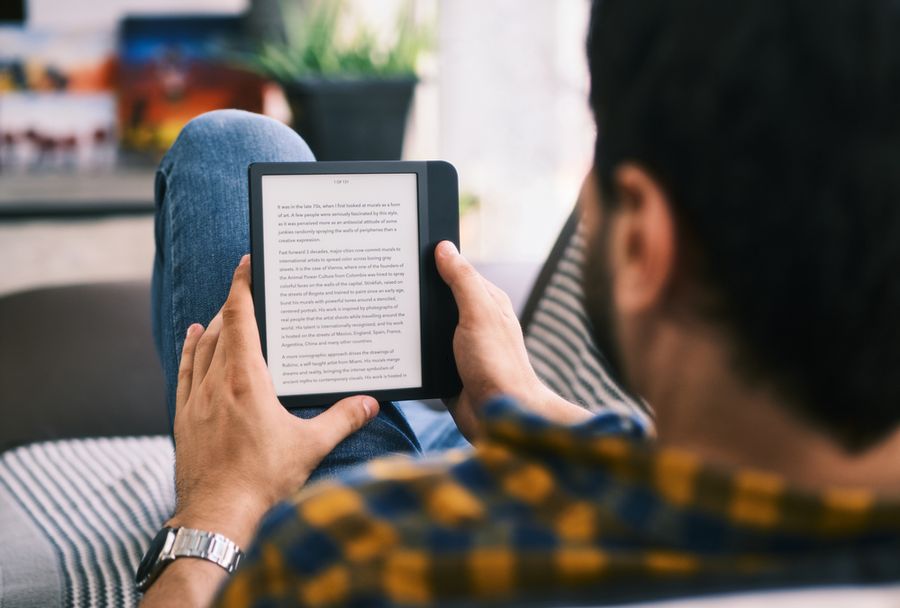
E-readers have been around long enough to feel familiar, but the category has changed significantly in recent years. Buyers now have more choices than simple black-and-white screens, with color displays, note-taking features, waterproof designs, and different ebook ecosystems competing for attention. Choosing the right device depends less on finding the most advanced features and more on understanding how each option fits your reading habits, book sources, and daily routine.
Why Display and Ecosystem Matter When Choosing
E-readers divide into two meaningful categories: those using black-and-white E Ink displays and those using color E Ink. Beyond display type, ecosystem matters almost as much as hardware.
Kindle devices tie readers to Amazon's bookstore, while Kobo devices support the open EPUB format and connect to library lending services with fewer restrictions. The five devices here span each combination of display type, price range, and ecosystem.
E-Readers at a Glance
|
Option |
Suitable For |
Typical Cost |
|---|---|---|
|
Kindle (basic) |
Budget text reading |
|
|
Kindle Colorsoft |
Color E Ink in Amazon's ecosystem |
|
|
Kindle Paperwhite |
Everyday all-around reading |
|
|
Kobo Clara BW |
Library borrowers, non-Amazon readers |
|
|
Kobo Libra Colour |
Color display with physical buttons |
*Prices can change by retailer and promotion.
E-Reader Options Compared
All five devices use E Ink display technology, which draws far less power than a tablet screen and produces paper-like contrast that reduces eye strain during extended reading sessions. Where they differ is in display color, physical controls, ecosystem, and price, which makes each one a stronger fit for a different kind of reader.
1. Kindle: Suitable for Budget-Conscious Readers
The Kindle (also known as the Kindle Basic) is Amazon's entry-level device, and it handles everyday reading well without the price tag of a premium model. The compact E Ink display and built-in adjustable light make for a comfortable reading experience across most titles. The trade-off is a smaller screen and fewer brightness settings than higher-tier Kindle models. Anyone who reads primarily at home and wants to spend less upfront will find this device more than capable.
Pros:
- Lowest price in the Kindle lineup
- Built-in adjustable reading light
- Access to Amazon's full ebook catalog
Cons:
- No waterproofing
- Smaller screen than Paperwhite or Colorsoft
Suitable for: Readers who prioritize value and read mostly text-based books in a comfortable indoor setting.
2. Kindle Colorsoft: Suitable for Color Display Readers
The Kindle Colorsoft is Amazon's color E Ink option for readers who want vivid book covers, illustrated titles, or color-coded notes and highlights. The adjustable warm light reduces blue light exposure during evening reading sessions. The color display adds noticeable cost compared to the standard Paperwhite, and color E Ink is not as vivid as a tablet screen. Readers who want a color display without switching platforms will find this device fits that need directly within the Kindle lineup.
Pros:
- Color E Ink display for covers and illustrations
- Adjustable warm light for night reading
- Waterproof build
Cons:
- Higher price than the Paperwhite
- Color less vivid than a tablet display
Suitable for: Readers who enjoy illustrated books, graphic novels, or want color in their reading experience without leaving the Amazon ecosystem.
3. Kindle Paperwhite: Suitable for Everyday Readers
The Kindle Paperwhite handles everyday reading reliably and sits in the middle of the Kindle lineup. A larger E Ink display than the base model, a waterproof build, and a long battery life make it durable enough for travel, poolside use, and daily commutes. The main limitation is a black-and-white display, which matters if illustrated titles are part of your regular reading. It comes in standard and Signature Edition versions, with the latter adding wireless charging and additional storage.
Pros:
- Waterproof, suited to poolside and travel use
- Long battery life across weeks of reading
- Larger display than the base Kindle
Cons:
- Black-and-white display only
- Wireless charging requires Signature Edition
Suitable for: Travelers, commuters, and avid readers who want a durable, versatile device and read mostly text-based titles.
4. Kobo Clara BW: Suitable for EPUB and Library Borrowers
The Kobo Clara BW is a compact black-and-white device that runs outside Amazon's ecosystem. It supports the open EPUB format natively, which means books purchased from other stores or borrowed from a library via OverDrive and Libby load without workarounds. The lightweight build makes it easy to carry, though it lacks physical page-turn buttons, which some readers find they miss. The price point is lower than the Kindle Paperwhite while the core reading experience remains comparable E Ink quality.
Pros:
- Native EPUB support, no file conversion needed
- Compatible with library lending via OverDrive and Libby
- Competitive price for a capable device
Cons:
- No physical page-turn buttons
- Black-and-white display only
Suitable for: Readers who borrow from public libraries frequently, buy ebooks from non-Amazon stores, or prefer not to lock into a single ecosystem.
5. Kobo Libra Colour: Suitable for Color Readers Who Prefer Physical Buttons
The Kobo Libra Colour combines a color E Ink display with physical page-turn buttons and stylus support for handwritten notes. The color display handles book covers, comics, and annotated reading more naturally than a black-and-white screen. Like all Kobo devices, it supports EPUB and integrates with library lending services. The stylus accessory is sold separately, so readers who want full note-taking features should factor that into the total cost.
Pros:
- Color E Ink display with physical page-turn buttons
- Stylus-compatible for handwritten annotations
- EPUB and library lending support
Cons:
- Stylus sold separately at additional cost
- Higher price than other Kobo models
Suitable for: Readers who want color in their device, prefer physical page-turn buttons, or take handwritten notes while reading.
How the Options Differ
The most meaningful divide among these five devices is display type: black-and-white E Ink delivers sharp text contrast and longer battery life at a lower price, while color E Ink adds visual richness for covers and illustrated content at a higher cost.
Ecosystem is the other key variable, with Kindle devices connecting readers to Amazon's bookstore and lending programs, and Kobo devices prioritizing open formats and public library compatibility. Readers choosing between display types, or between the Amazon and Kobo ecosystems, will find the most useful distinctions there.
Questions to Ask Before Choosing an E-Reader
Think about what you read most often. If your reading is mostly novels, essays, or other text-heavy titles, a black-and-white E Ink display will serve you well and cost less. If you regularly read illustrated books, graphic novels, or anything where color matters, a color E Ink display is worth the price difference.
Then consider where your books come from. If you already use the Kindle store or Amazon Prime Reading, a Kindle device keeps things simple and carries your existing library over automatically. If you borrow from a public library through Libby or OverDrive, or buy books from independent stores, a Kobo device gives you more flexibility without workarounds. In practice, readers who switch devices tend to cite ecosystem compatibility more than display quality as the sticking point.
Finally, consider where you read. If you travel frequently or spend time near water, a waterproof model is worth the premium. Both the Kindle Paperwhite and the Kobo Libra Colour carry waterproof ratings. If physical page-turn buttons matter to you, the Kobo Libra Colour is the only device in this group that includes them.
Frequently Asked Questions
Q: Do e-readers work with public library books? Most devices support library borrowing through OverDrive and the Libby app, which partner with thousands of US public libraries. Kobo devices integrate library lending directly through the device, while Kindle devices require borrowing a title through the library's system and then sending it to the device via Amazon. Either way, a valid library card is all you need to get started.
Q: Is a color e-reader worth the extra cost? For readers who consume mostly novels, essays, or long-form nonfiction, the color display makes little practical difference in daily use. For readers who regularly pick up illustrated books, graphic novels, cookbooks, or children's books, the color display offers a noticeably better experience for that type of content. If you're unsure, consider whether color matters for at least a quarter of your typical reading list.
Q: Can you read books from other stores on a Kindle? Kindle devices support PDFs and select additional file types through Amazon's Send to Kindle service, which allows emailing documents directly to the device. EPUB files, the format used by most non-Amazon bookstores and library lending systems, require conversion before they can be read on a Kindle. Kobo devices accept EPUB files directly, without any additional steps.
Finding the E-Reader That Fits the Way You Read
An e-reader is ultimately a tool built around a specific reading experience. Some readers want a simple device for novels and long-form content, while others need color displays for illustrated books, flexible file support, or features that make digital notes easier.
The right choice depends on where your books come from, what types of content you read most often, and which features will actually improve your experience. A device that matches those habits can make reading more convenient without paying extra for features that rarely get used.
We created this article in conjunction with AI technology, then made sure it was fact-checked and edited by a TopicTangent editor.